
Jostle vs Workvivo
Where everything has a home, so nothing important gets lost in the feed
Everything in Workvivo moves through one social feed, which makes the platform feel alive. But it also means a deadline change and a birthday post compete for the same attention, and the newer one usually wins.
Jostle gives each kind of content a home of its own, so an operational update isn’t forced to compete with anything else. And it stays where you put it, which means the people it affects can find it the day it’s sent or three weeks later.
Get demo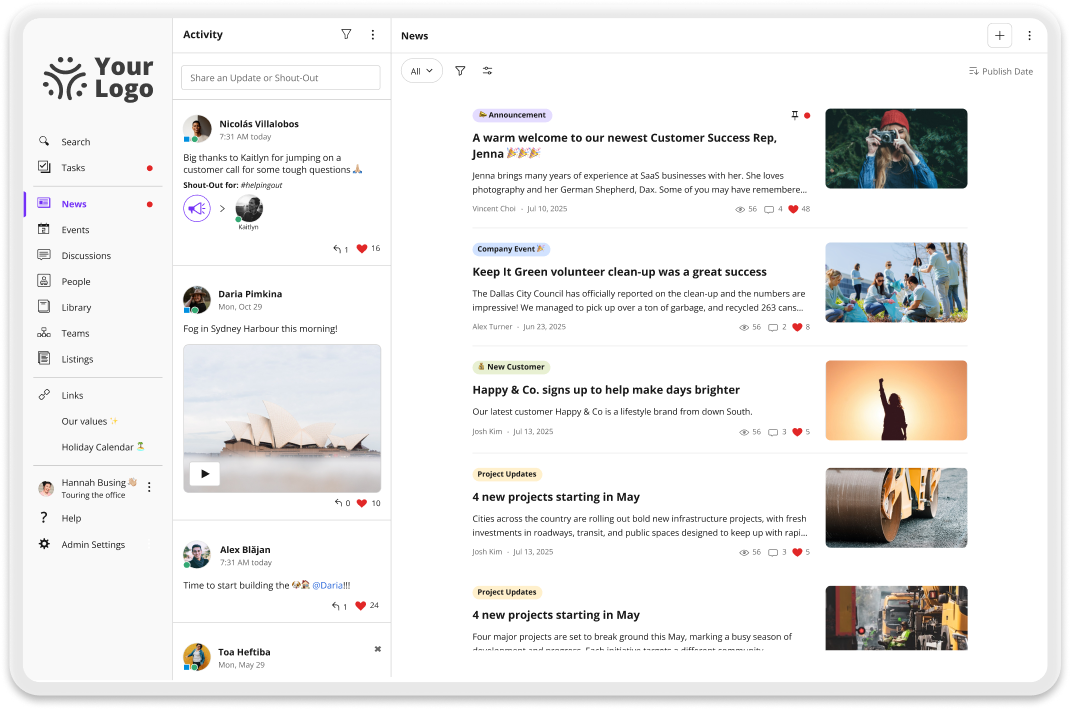
Why teams choose Jostle over Workvivo
Important updates are easy to find
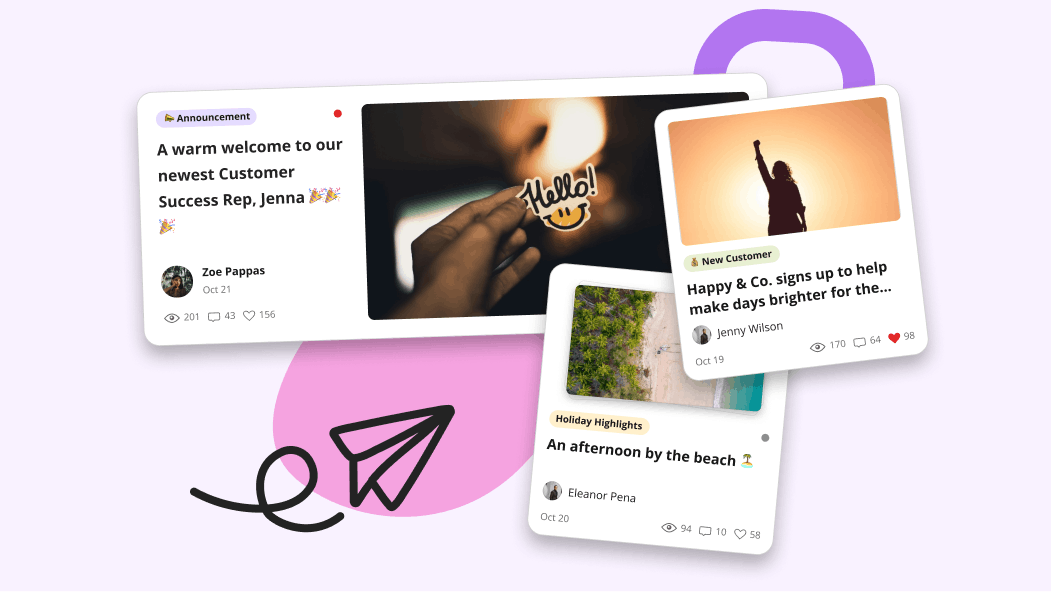
News is the dedicated destination for company updates in Jostle, kept separate from Activity where recognition and everyday conversation live. Posts stay findable in News long after they’re sent out, and Weekly Digest emails a personalized recap of recent updates to every employee. That way, someone who misses an update in the moment still has one place to check and a reminder that gets them there.
Target any audience without setting up a space for them
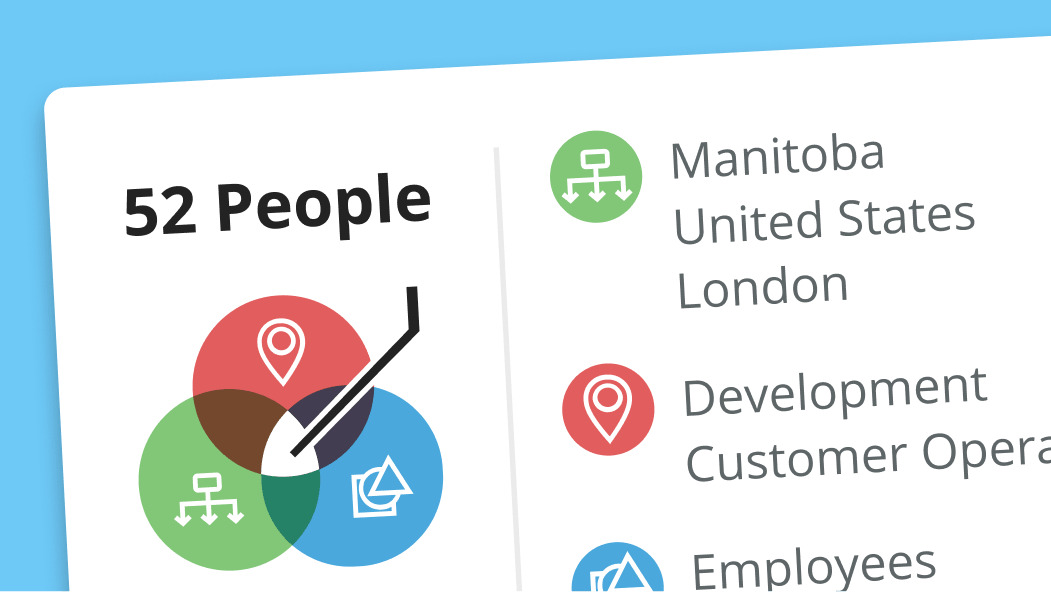
Targeting in Jostle happens on the post itself, using employee data already in the system. A safety notice can go to one shift at one facility, and a benefits change to everyone in a country, neither of which requires a group to be set up first. Everything targeted to an employee arrives in the destinations they already check, so there’s no working out which of a dozen places a given update might have landed in.

The same structure no matter how much you grow
Jostle comes with defined destinations for everything important, organized by the kind of content being published. New teams or locations fold into what’s already there rather than creating a space of their own. That way, employees only have to learn the layout once, and it’s still the layout two years and three reorgs later.
One place for the answers people go looking for
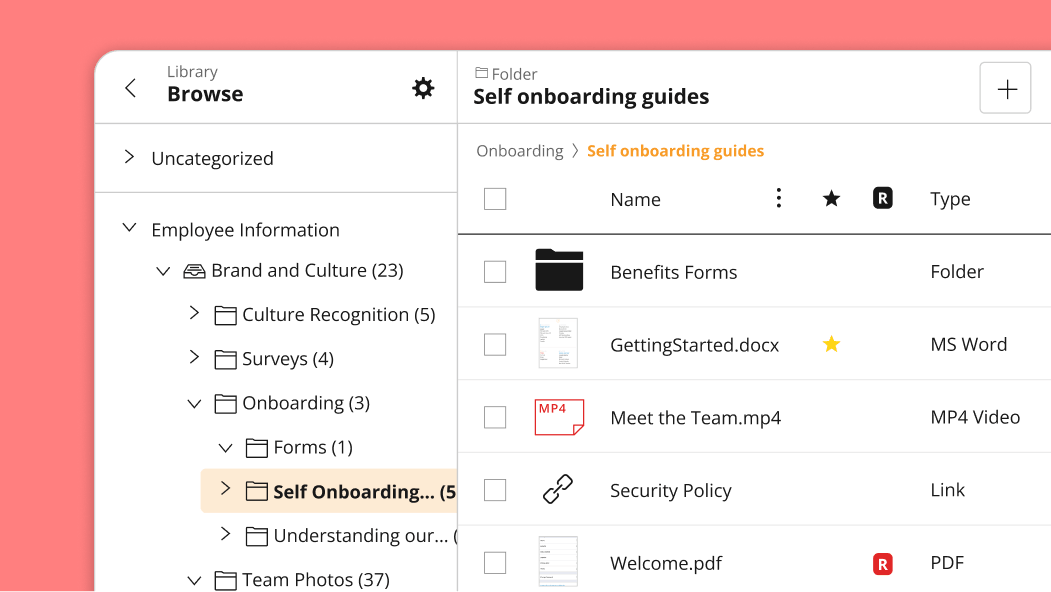
The Library is where policies, onboarding guides, and procedural documentation live in Jostle, held as one curated collection. Content sits in categories employees can browse, so finding a policy doesn’t depend on guessing the words someone titled it with. JostleAI also answers questions from that same collection, returning only the content relevant to their location or role, so a manager in Ontario and a technician in Texas asking the same thing can get different answers.
Compare Jostle vs Workvivo on what matters
| Capability | Jostle | Workvivo |
|---|---|---|
| Core intranet | ||
| Company news & announcements |

|
|
| Content targeting (news, files, events) | All content targeted (by role, location, team, etc.) | By Team or Space membership |
| Read acknowledgments / must-reads |
Built-in Sign-Off
|
|
| Employee directory |
People view & Profiles
|
People Directory & Profiles
|
| Org chart—Basic main org |
Teams view
|
|
| Org chart—Complex reporting |
|

|
| Org chart—Multiple charts |
|
|
| Document library |
Syncs permissions with Google Drive / OneDrive
|
Native library. External files via per-user search connectors
|
| Discussion / Chat |
Discussions view
|
Feed comments only. Chat is a paid add-on
|
| Events management |
Events view
|
|
| Employee recognition |
Shout-Outs, Birthdays, Work Anniversaries, and Badges
|
|
| Universal search |
Intranet & synced files
|
External systems need per-user setup
|
| AI-assisted search |
|
Paid add-on
|
| AI content governance |
Built-in Scheduled Review (keeps content fresh safely)
|
Automatic content expiry (risks deleting valid content)
|
| Mobile app |
Publishing parity
|
No article publishing or admin functions from mobile
|
| Deployment & admin | ||
| Time to launch | Days | Weeks |
| Information architecture setup | None Pre-structured | Moderate—spaces, sub-spaces and landing pages to design |
| Onboarding coaching included |
|
|
| Admin training required | None Built for non-tech teams | High—Admin Hub with 50+ feature settings |
| Integrations | ||
| SSO (SAML 2.0) |
Entra ID, Okta, OneLogin, Google, others
|
|
| User provisioning (SCIM) |
Entra ID, Okta, Google Workspace, API
|
|
| Google Workspace integration |
Deep integration
|
|
| Microsoft 365 integration |
OneDrive, SSO, Teams
|
|
| Slack / MS Teams integration |
|
|
| API |
|
|
| Security & compliance | ||
| Data residency options |
US, Canada, EU (Ireland), Australia
|
|
| GDPR compliance |
|
|
| SOC 2 |
|
|
| Audit logs |
|
|
Jostle vs Workvivo pricing
| Aspect | Jostle | Workvivo |
|---|---|---|
| Pricing model | Per user/month, tiered by features | Per user/month, custom quotes |
| Published pricing |
View here
|
|
| Starting price (500 users) | $2.77/user/month (Bronze) |
|
| Mid-tier price (500 users) | $4.98/user/month (Silver) |
|
| Full-featured price (500 users) | $6.64/user/month (Gold) |
|
| Enterprise / all features | $7.88/user/month (Platinum) |
|
| What’s included at base tier | News, Activity, People, Discussions, mobile apps, SSO, provisioning, analytics, onboarding, coaching | Workvivo HQ core platform |
| Add-on modules | Tasks, Teams, JostleTV, Listings, Events—Silver+ tiers | Chat, Workvivo TV, Seer, HQ Agent, Advanced Analytics |
| Onboarding / implementation | Included in subscription | Add-on |
| Free trial |
|
|
| Contract minimums | 1 year | Per order |
Trusted by 1,000+ organizations worldwide








_HighPerformer_HighPerformer 1.png)
4.6/5 in 222 reviews

Jostle vs Workvivo FAQs
Is it hard to migrate from Workvivo to Jostle?
Migrating from Workvivo to Jostle is fast and simple, especially with onboarding assistance included in every plan. There’s no building phrase because the structure and destinations already exist, which means most of your time investment goes towards planning what to bring over from your existing systems.
Employee data is easy. Jostle connects to the same HR system or directory that was feeding Workvivo, so teams, locations, roles, and reporting lines arrive already structured. SSO also runs through Entra ID, Google, Okta, or OneLogin, which is completed in week one.
Content takes a bit more time. Workvivo spreads documents and pages across Spaces, and most teams discover that a good portion of it has gone stale, so most bring over a fraction of what they had. Commonly, the most up-to-date policies, onboarding guides, and the documents people actually open go into the Library. And news starts empty, because nobody was going to scroll back through two years of old posts.
How does Jostle notify employees about urgent updates?
Jostle matches the notification to how much attention the message needs. Routine updates go out in the Weekly Digest, a personalized email that arrives whether or not someone has opened Jostle that week. Time-sensitive messages get a push notification to mobile. Companies running Teams or Slack can have alerts land there instead, so employees don’t switch apps to find out something happened.
For messages that need proof of receipt, Jostle offers sign-offs. An employee sees the item flagged, confirms they have read it, and HR gets an exportable record of who has and has not responded. That covers employee handbooks, safety procedures, and anything that might come up in an audit.
How does Jostle keep content organized?
Jostle keeps content organized by giving every type of content one fixed destination. Announcements go to News, resources to the Library, recognition to Activity. There’s nothing to lay out, no navigation to design, and no folder trees that end up three levels deep by year two.
Publishing rights are assigned by role. News Editors handle company communication, Librarians maintain the resource collection, and Reporter Groups let a specific team publish to its own audience without opening publishing to everyone. Mandatory Moderator adds a review step when content needs approval before going live.
Workvivo takes the opposite approach, letting departments and communities build their own Spaces and run them however they prefer. That flexibility may be worth having if you’ve got a comms team watching over all of it. Jostle’s structure holds whether one person runs the platform or a dozen people do.
What adoption rate do Jostle customers see?
Jostle customers see median employee participation above 85% across the entire customer base. The industry average sits below 40%, and many traditional intranets never get past 10%.
That number comes from employees being able to find what they need without asking anyone. When the destinations don’t move and content is filtered to someone’s role and location, opening Jostle becomes a habit instead of a task people need reminding about. And the Weekly Digest picks up everyone who wouldn’t have logged in on their own.
Workvivo posts strong engagement numbers too because the social feed is easy to use, which helps drive participation. But when it comes to tasks that help employees do their job, like finding important updates and answers, most teams find they need a purpose-built employee hub, not just a social-first platform.
Can Jostle act as a single source of truth?
Yes, Jostle can act as a single source of truth for company knowledge. The Library holds policies, onboarding material, and procedures as one curated collection, sorted into browsable categories so it’s easier to find something without knowing its file name.
From that Library, JostleAI returns context-aware results using the searcher’s role, team, location, and more so the answers are accurate to them. That means an international team gets a different answer to questions about leave or benefits coverage than a local office would.
What makes it dependable is that the knowledge is managed in Jostle. Librarians decide what goes in and what comes out, so every answer traces back to a document somebody owns. Files themselves stay in OneDrive or Google Drive where version control already works, and the Library syncs permissions with both so employees open documents through Jostle without a second set of access rules to maintain.
Workvivo assembles answers by reaching across connected systems like Workday, ServiceNow, and Salesforce. That widens the range of questions you can ask, and it also means each answer is only as good as the system behind it. Jostle keeps the knowledge layer native, so what comes back was reviewed before it ever became an answer.
Does Jostle work for frontline and deskless teams?
Jostle works for frontline and deskless teams because mobile and shared spaces are part of the core design. Everything available at a desk is available on a phone, and targeting means a warehouse crew opens Jostle to their own site’s updates rather than scrolling past head-office announcements to find them. Employees without a company email address can sign in and use the mobile app, and anyone with a personal email on file gets the Weekly Digest.
For people who don’t carry a phone on shift, JostleTV puts content on screens in break rooms, on production floors, and in shared areas where employees already gather. Those screens are targeted the same way posts are, so the lunchroom display at one plant shows that site’s safety notices and recognition instead of cycling through whatever the whole company posted most recently.
What Jostle customers say
See how Jostle compares to other platforms






Ready to see the difference?
Get a personalized walkthrough and see how fast your team can go live with Jostle.