

The best assistant you’ve ever had
JostleAI removes roadblocks, answers your questions, and finds the information you’re looking for, letting you focus on the work that matters.
Released
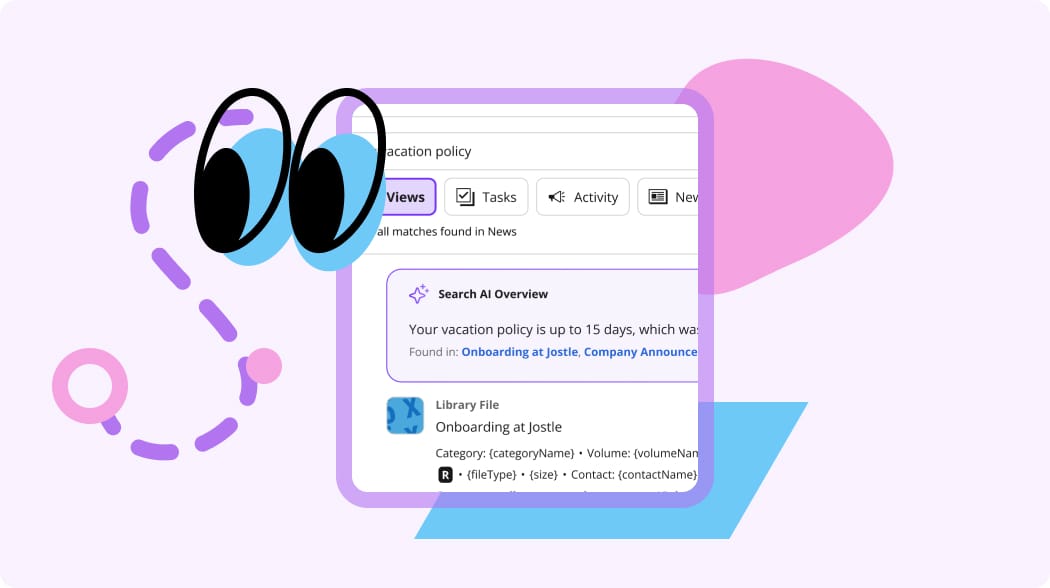
Get answers fast
Ask a question and get an answer. Responses cite the documents and files used to generate it, so you can go to the source.
Support Center
Get answers on how to use Jostle, fast and reliably. Answers come from our Support Center content and include links for you to learn more.
Library
User-specific answers are provided based on the policies, guidelines, manuals, and other documents you have permission to see in your Jostle Library.
Released
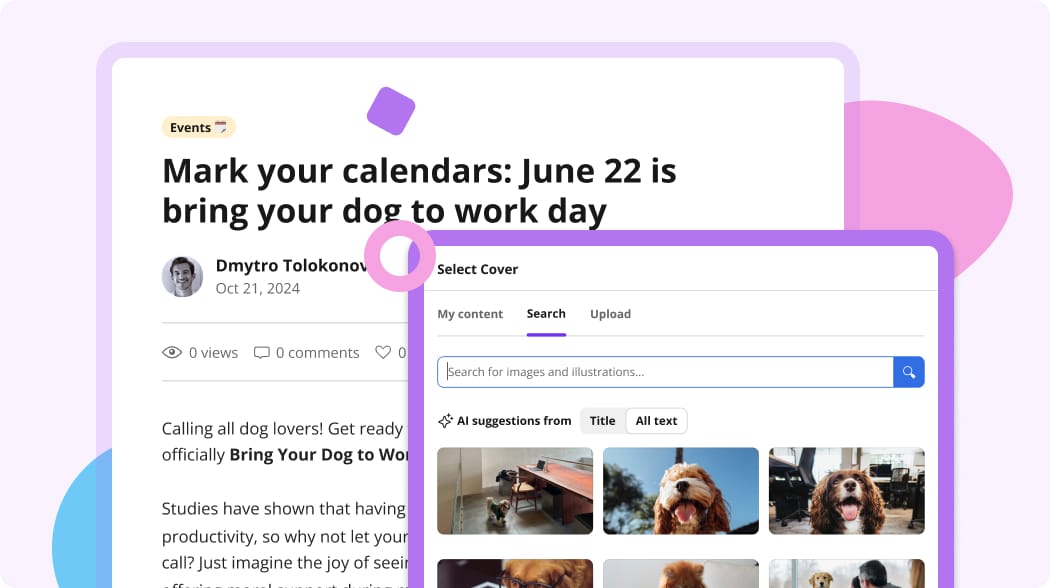
Find images in seconds
No more searching for an image to go with your latest news post. Based on the content of your article, JostleAI will find properly licensed images, all you need to do is pick the one you like best.
If you have a specific image in mind, you can describe the picture you’re looking for and it will find options for you to choose from.
Released
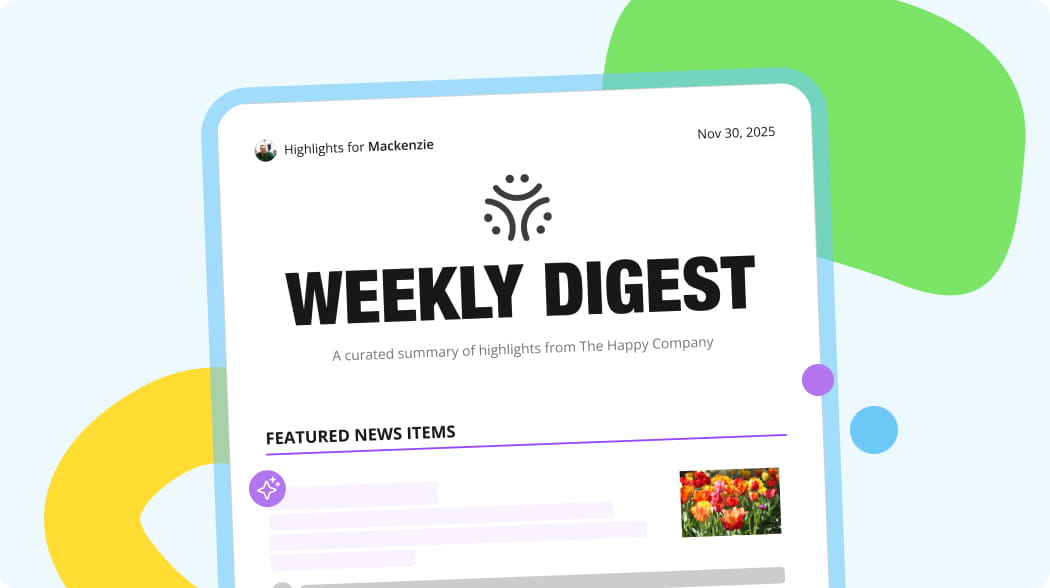
Keep everyone up to date
Automatically send employees a weekly personalized Digest containing summaries of the latest news and updates.
JostleAI takes data like their role, location, and what they’ve previously read to filter out the noise and deliver the information that matters most to them.
Released
Read summaries of important files
JostleAI will summarize News and Library Items so you can quickly understand the high-level points of a document before digging further.
These summaries can be included in your Weekly Digest, ensuring nobody misses a piece of important information.

Frequently asked questions
How much does JostleAI cost?
JostleAI is included free of charge with all packages.
Is my data secure?
Yes. Jostle does not share your data for AI training. Your data is used solely to improve your personalized experience and your organization retains ownership of all AI-generated content.
Are you planning on releasing an AI writing assistant?
No. People already have their preferred AI writing tools. Adding a built-in writing assistant would be providing users with tools they already have. Jostle is compatible with your favorite browser-based writing extensions.
What is Jostle’s philosophy around AI?
AI should allow employees to do their job faster and better, removing roadblock along the way. We want AI to get out of your way and let you focus on work that matters.
How do I enable AI features?
System Admins can enable or disable features by visiting Admin Settings > Views and Functions > Manage AI Features.
What information does JostleAI use to generate answers?
JostleAI only uses Library content that is visible to the user asking a question. When it answers a question, it also includes which document(s) were used to source that information.
Are there limitations on what types of documents JostleAI can access?
JostleAI reads text documents, like .pdf or .docx documents. It can’t read information within images or videos.
What types of questions can I ask?
You can ask any question relating to the content in your Library. Try asking specific questions about policies, procedures, or templates. You can also give the AI prompts like “answer in bullet points,” or “use three sentences or less” to tailor results to your desired format.
What does it mean if JostleAI can’t answer my question?
If a question can’t be answered based on the Library content you can see, JostleAI will let you know that it can’t provide a response. You can try rephrasing your question or start a new session by going back to the main search menu.
What can I do to help JostleAI find answers?
JostleAI relies on your Library content to find answers, so the best way to ensure the AI is accurate is to keep your Library content up-to-date. You can use Scheduled Review to help with this process.
Where can I find more information?
For in-depth documentation on Ask a Question, visit our Support Center.